
PMS Performance — part of the PMScripts family
A faster WordPress website
Reduce loading time with local caching and practical optimization tools. Start with Lite; choose Pro for advanced image, CSS, script and font tools.
Local optimization
No per-visit AI calls
Lite and Pro editions
LARGE WORDPRESS BLOG · BEFORE AND AFTER
Before and after PMS Performance Pro on a large blog.
A large blog with over 50 installed plugins, a shop and external integrations: desktop 53 → 96, mobile 40 → 87. Compare the original reports below.
Performance 53 → 96 Desktop · PMS Performance Pro
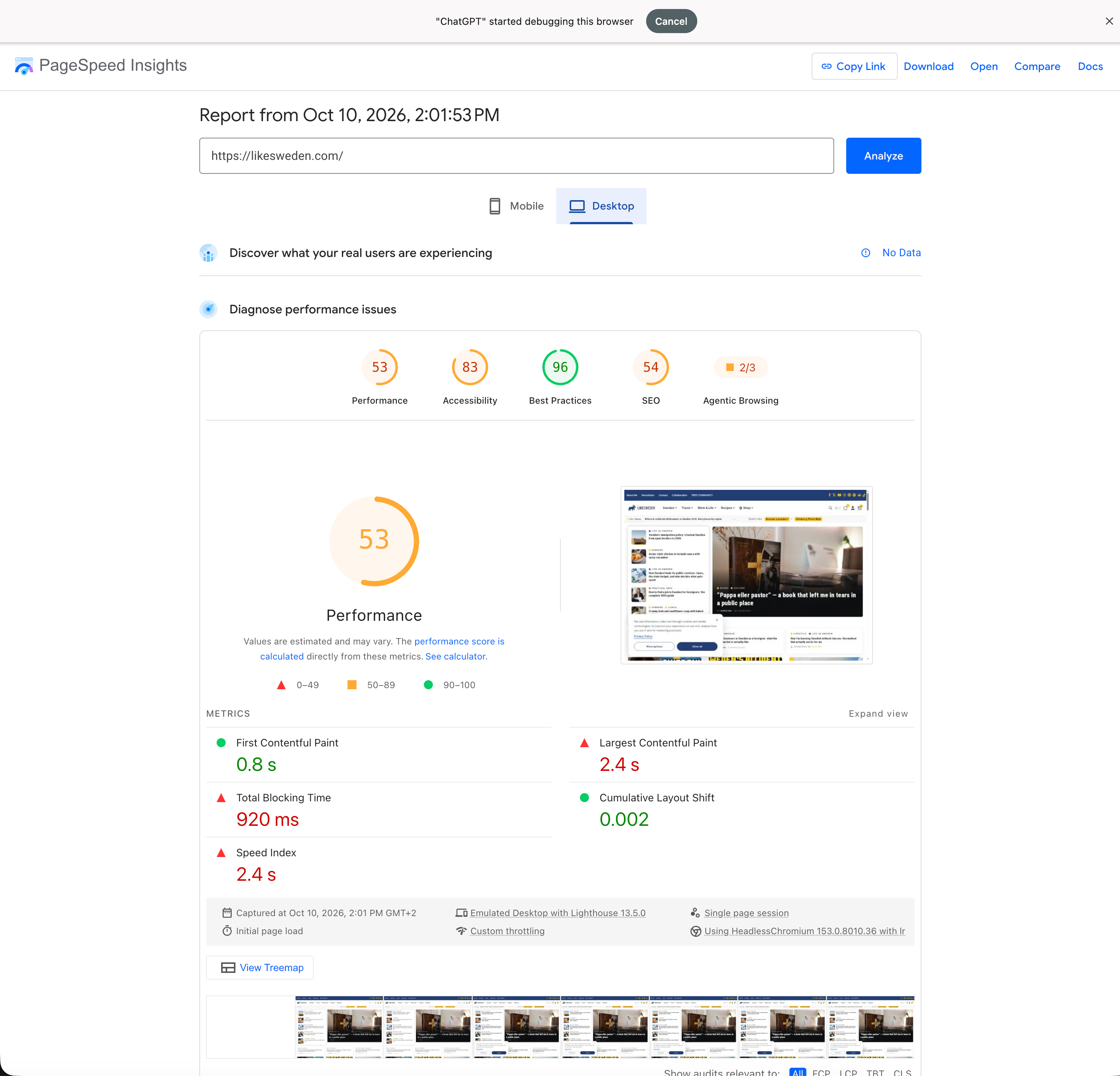
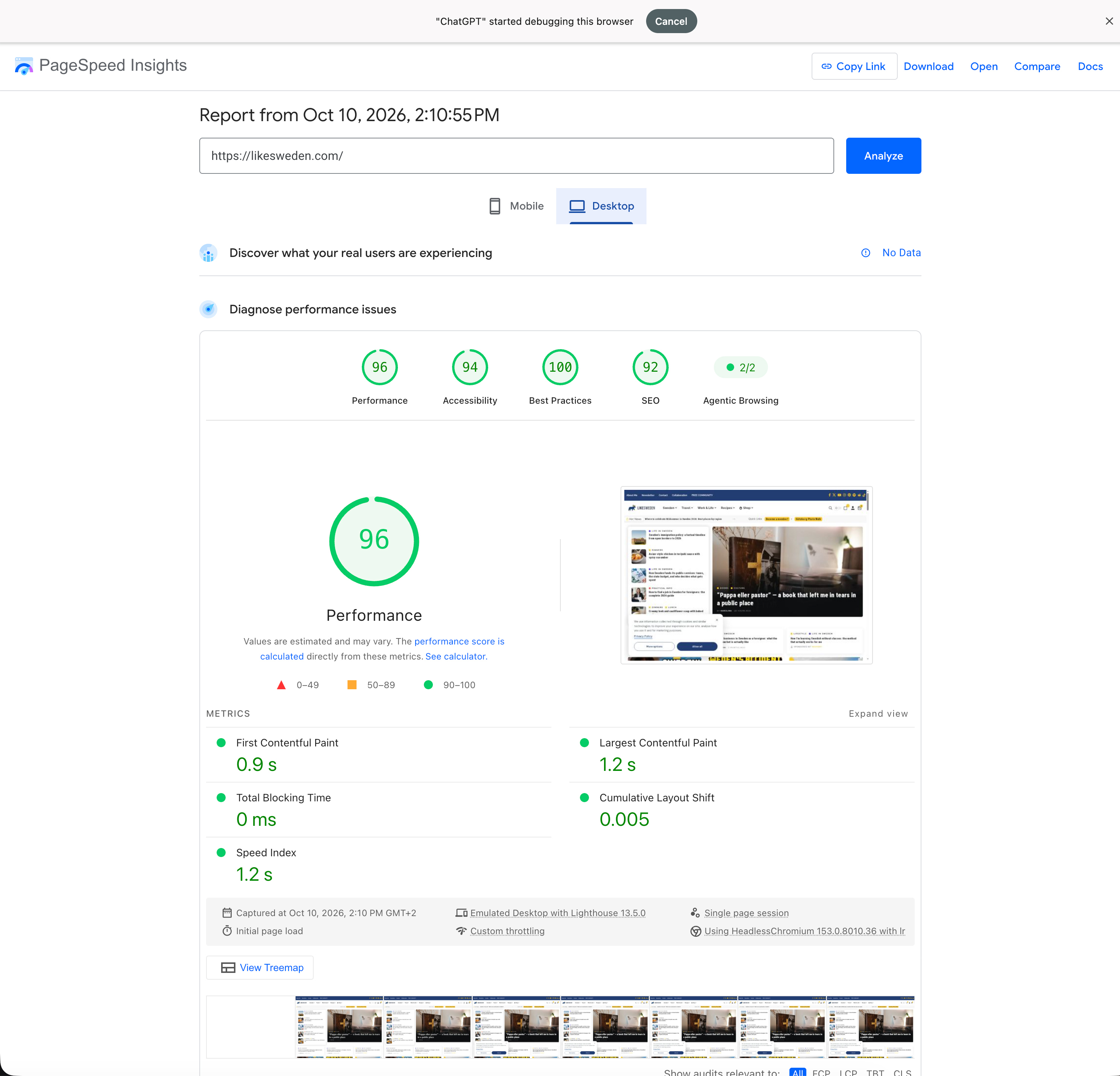
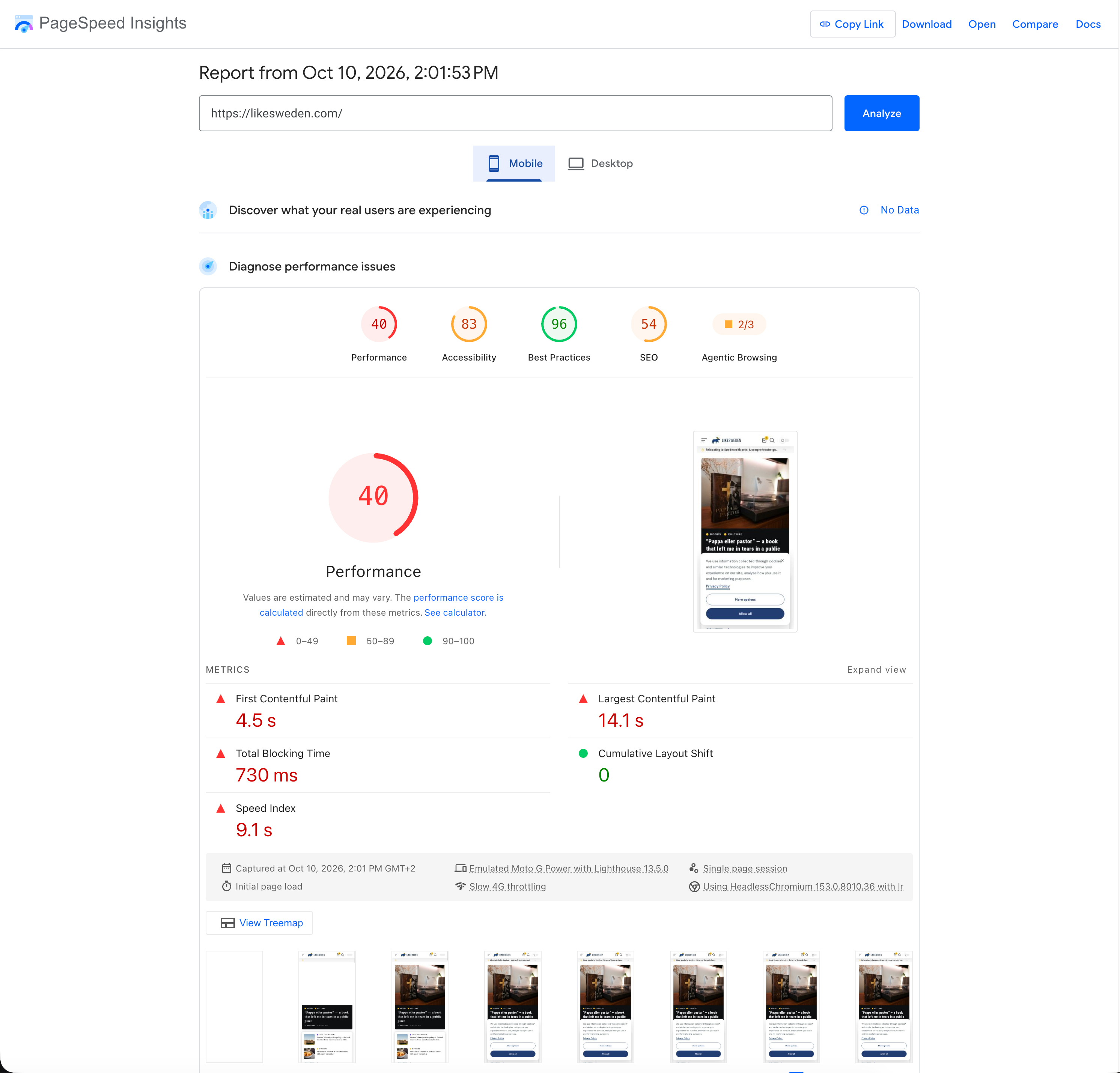
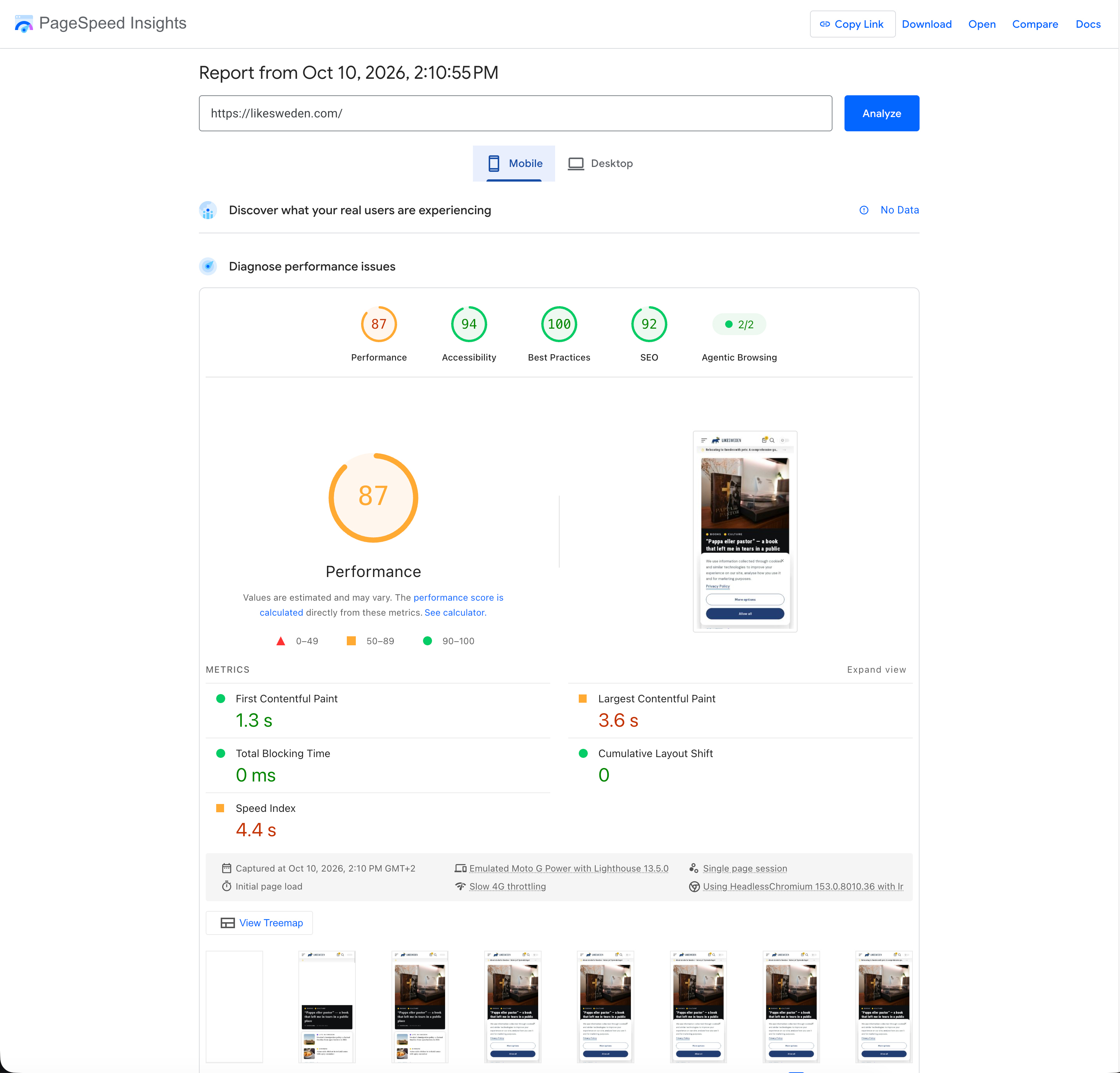
PageSpeed Insights lab reports from one blog, 10 October 2026. Results vary by website and setup; this is not a guaranteed outcome.
Clear controls in WordPress
Choose your tools and manage cache from one panel. These screenshots show Lite 0.13.8.
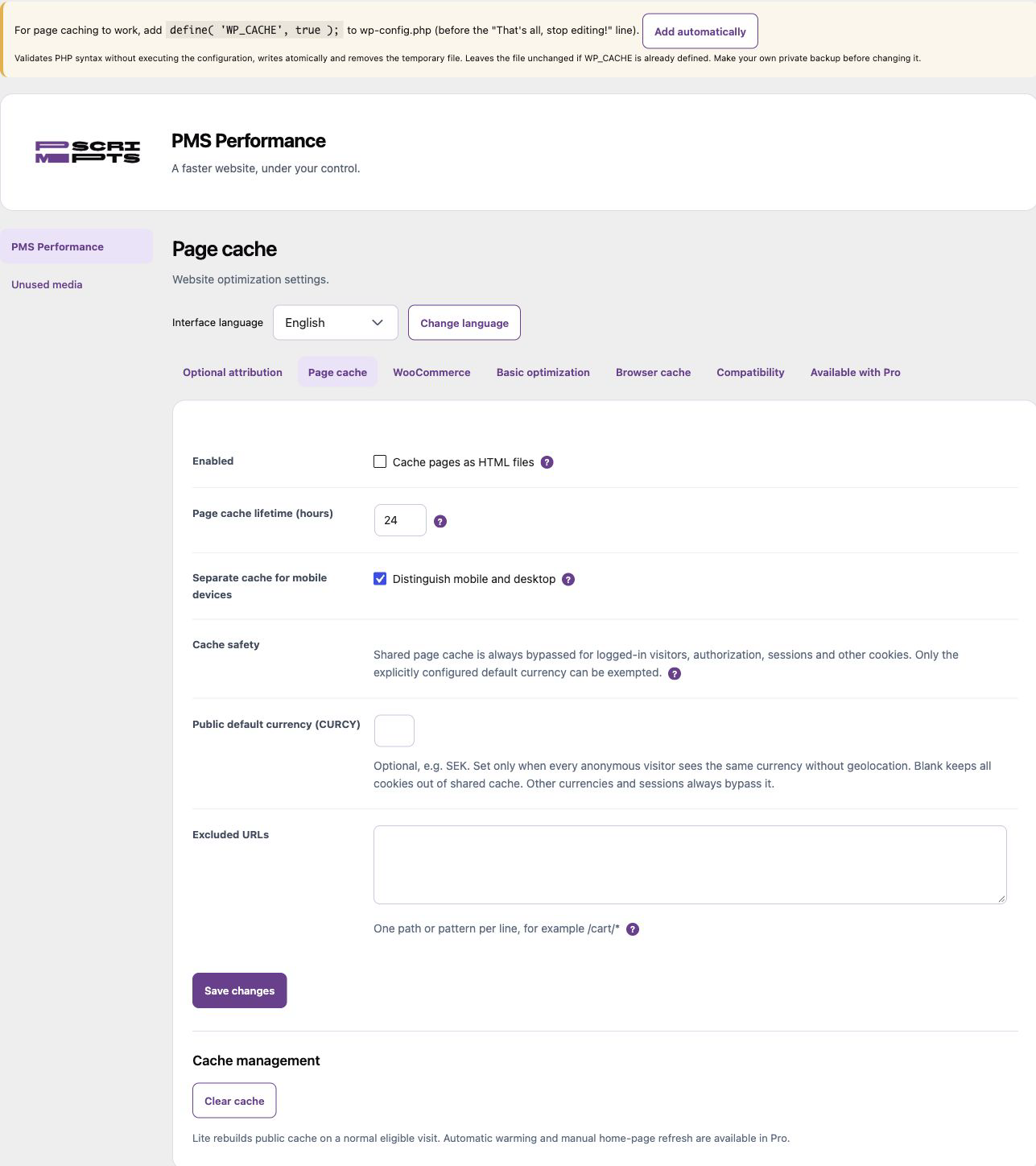
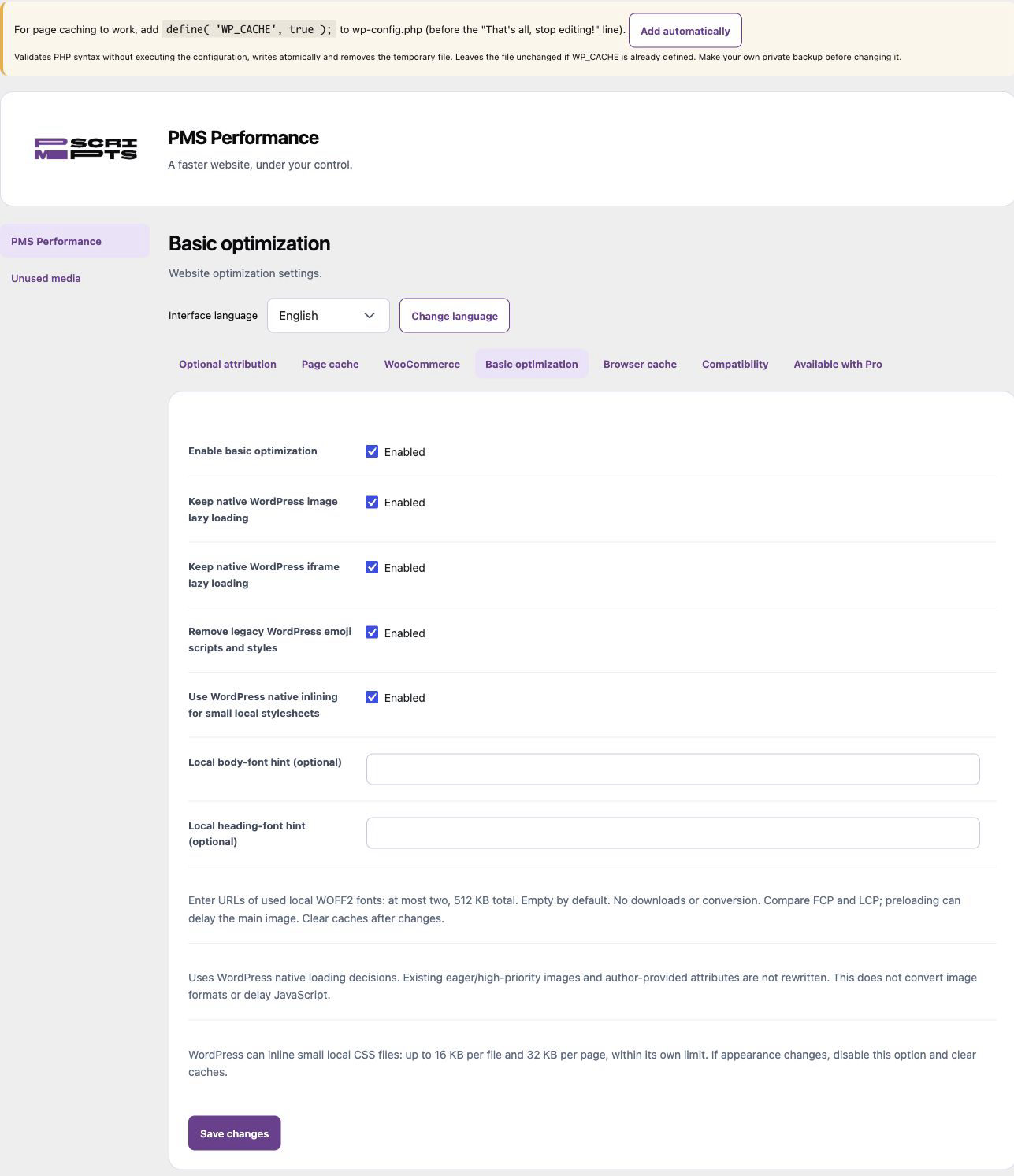
LESS UNNECESSARY WORK
Optimize the real visitor experience, not just a test.
Choose the modules your site needs. Advanced changes are opt-in and should be checked with your theme, consent setup and shop before going live.
Efficient public pages
Load public pages faster with local caching. Keep recognized private sessions and shop routes out of shared cache.
Images that fit the screen — Pro
Lite uses native lazy loading. Pro adds local WebP/AVIF conversion while keeping original images.
Advanced CSS and fonts — Pro
Reduce unnecessary CSS and font loading with Pro.
Scripts in the right order — Pro
Choose which optional scripts can wait while essential interactions remain available.
Faster access for crawlers
Faster responses help crawlers fetch and render public pages more efficiently. Your security and robots rules still apply.
Faster pages. More from your ads.
Faster pages improve the post-click experience. Landing-page experience is one of Google Ads quality factors; better ad quality can help lower click costs.
TWO CLEAR EDITIONS
Useful Lite foundations. Advanced Pro tools.
Lite
Public-page caching, native lazy loading and basic cleanup. Free to use, with no expiry.
Pro
Everything in Lite, plus image conversion, advanced CSS, scripts and fonts, cache warming and settings restore.
Plans for 1 website.
Pro monthly
1 separate one-website licence key with monthly billing and automatic renewal.
Choose ProPro annual
1 separate one-website licence key with annual billing and automatic renewal.
Choose ProPro monthly
2 separate one-website licence keys with monthly billing and automatic renewal.
Choose ProPro annual
2 separate one-website licence keys with annual billing and automatic renewal.
Choose ProPro monthly
5 separate one-website licence keys with monthly billing and automatic renewal.
Choose ProPro annual
5 separate one-website licence keys with annual billing and automatic renewal.
Choose Pro3% off for each additional licence, up to 20% off the whole order. Choose more websites.
Both editions use the same WordPress plugin folder. Pro replaces Lite; do not install them side by side. Prices and licence terms are shown on each store product.
Compare Lite and Pro
Lite covers caching and basic cleanup. Pro adds advanced image, CSS, script and font tools, cache warming and Guard.
| Feature | Lite | Pro |
|---|---|---|
| Public-page caching | ✓ | ✓ |
| WooCommerce private-page protections | ✓ | ✓ |
| Native lazy loading and basic cleanup | ✓ | ✓ |
| Browser-cache settings | ✓ | ✓ |
| Advanced CSS and font tools | ✕ | ✓ |
| Selective JavaScript delay | ✕ | ✓ |
| Local WebP/AVIF image conversion | ✕ | ✓ |
| Automatic homepage cache warming | ✕ | ✓ |
| Settings snapshots and manual restore | ✕ | ✓ |
| Basic HTTP checks after changes | ✕ | ✓ |
PMScripts Lite downloads include a required PMS credit. WordPress.org Lite has optional credit, off by default. Pro lets you choose your branding.
CONTROLLED SETUP
Start safely, then enable what helps.
Test on staging
Back up and test one tool at a time. Requires single-site WordPress 6.9+ and PHP 7.4+.
Check the full journey
Check navigation, consent, forms, cart, checkout and analytics on mobile and desktop.
Keep one cache owner
Use one page-cache engine. Advanced settings are not enabled automatically.
Questions about PMS Performance
Does bot-friendly mean bypassing my security rules?
No. Private routes, consent, robots rules and security controls still apply.
Is everything delayed until a click?
No. Optional script delay is a Pro setting that needs testing on your site.
Does optimization require an AI subscription?
No. Optimization runs locally. Pro licensing and updates use PMS.
What data leaves the site?
Optimization runs locally. Licensing and updates contact PMS; optional Pro Google Fonts preparation contacts Google. Performance does not scan or classify cookies. See the privacy policy.
Does enabling prepared media convert all my files?
No. Prepared media needs existing, verified files. Image conversion uses a separate local queue; originals remain available.
How do I install Lite or Pro?
Upload the ZIP in WordPress. Pro replaces Lite in the same folder; activate its licence. Back up and test advanced settings first.
Release notes
Lite · 0.13.9
Improved panel spacing, mobile forms, cache-file restoration and header/footer compatibility. Requires WordPress 6.9 or later.
Pro · 0.13.9
Updated WordPress compatibility and shared cache protections. Existing settings are preserved.
See the WordPress.org release history.
Your installed plugin and update panel show the release available for your edition.
Make your site work more efficiently.
Start with Lite caching and cleanup, or choose Pro for advanced images, CSS/JS, fonts, home-page cache warming and Guard.