
PMS Commerce Ledger — part of the PMScripts family
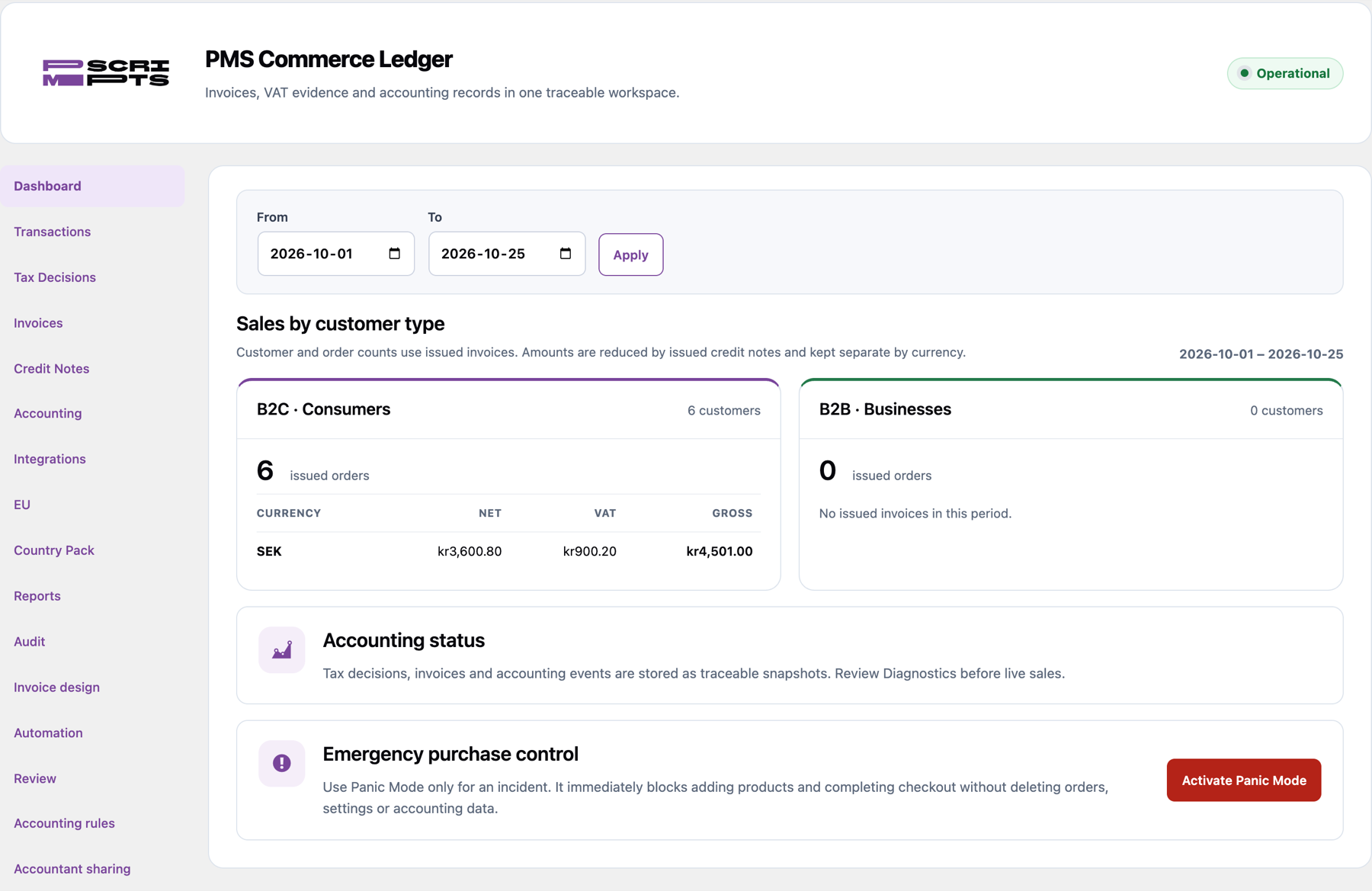
Bookkeeping that follows every WooCommerce sale
From the order to the bank: invoices, VAT, Stripe fees and payouts reach your accounting automatically, without double entries.
Coming soon
WooCommerce, Stripe and Bokio
Built for Swedish bookkeeping first
14 days
Free trial with the Stripe and Bokio integrations included.
0
Duplicate invoices or entries when sales are retried or imported again.
3
Export formats for your accountant: PDF, CSV and Excel.
7 years
Swedish books must be kept this long; your records stay readable even after the licence ends.
HOW IT WORKS
One sale, followed all the way.
WooCommerce records the sale
Net and gross amounts, VAT, discounts, shipping and the customer go into an invoice with your own numbering.
Stripe settles the payment
Payments, fees, refunds and disputes are matched to the orders they belong to.
Your accounting gets the entries
Each sale, credit note and payout is booked once in Bokio, with the invoice PDF attached.
The payout meets the bank
Every Stripe payout is booked to your bank account with its fees, ready to match to the bank statement.
INSIDE WORDPRESS
Invoices that look like your business.
Screens from a demo shop with sample orders. No customer data.
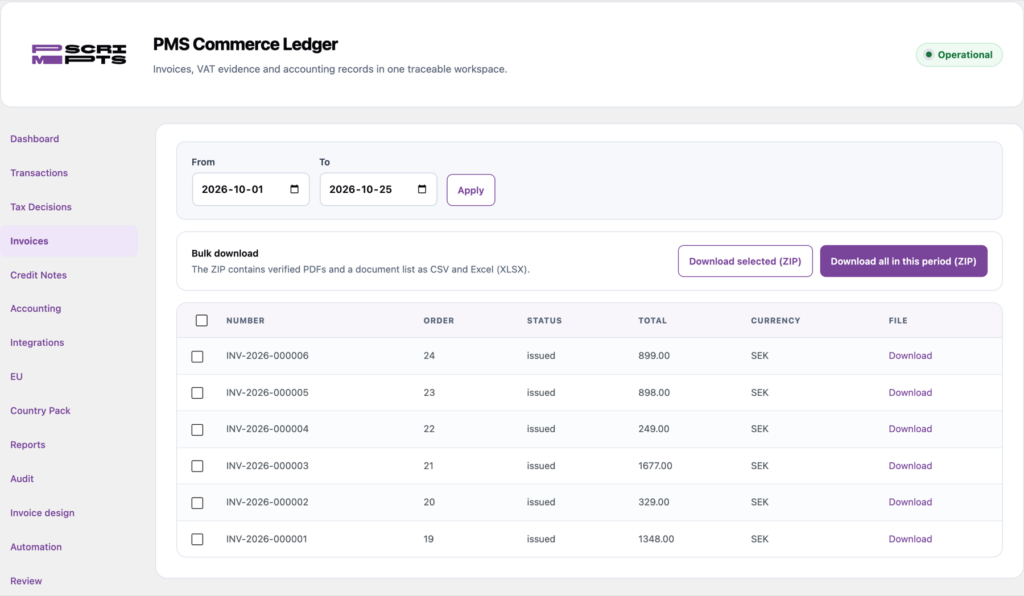
Invoices and credit notes
Every paid order gets an invoice with your numbering; refunds get a credit note. Download one PDF or a whole period as a ZIP with a CSV and Excel list.
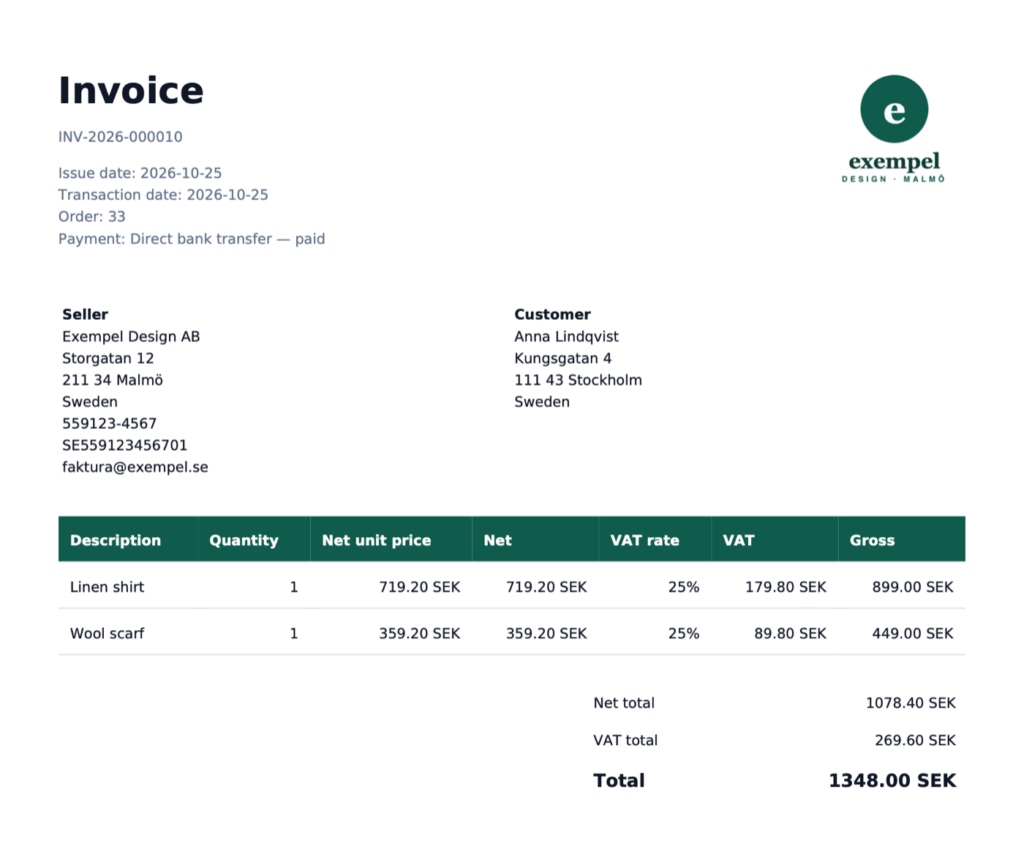
A complete invoice PDF with your logo
Your logo top right, seller and customer details, VAT number, net, VAT and gross per line, payment status. Stored with a checksum, so the file you send is the file you keep.
WHAT IT DOES
Fewer manual entries. Fewer surprises at month end.
Invoices and credit notes
Created from each order in Swedish or English, full and partial refunds included, never duplicated.
VAT done properly
Rates and accounts come from the country pack, including EU sales and reverse charge on payment fees.
Stripe fees and payouts
Fees, refunds, disputes and exchange differences booked with every payout.
Your chart of accounts
Sensible defaults you can change, checked against the accounts in your accounting system.
Exports for your accountant
Reports and document lists as PDF, CSV or Excel, ready to hand over at period end.
Nothing hidden
Differences, failed payments and anything the accounting system refuses wait for you in one list. A period-close report shows what is still open.
FOR YOUR ACCOUNTANT
Your books, ready to hand over.
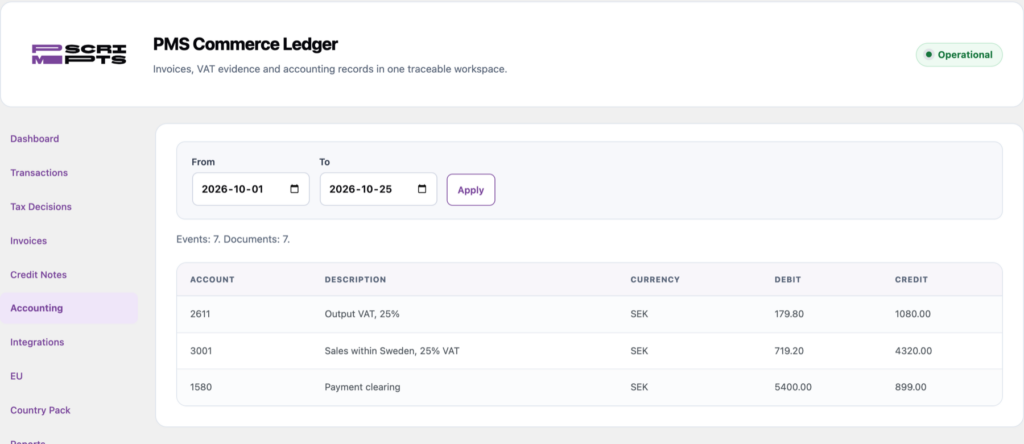
Booked to your accounts
Sales, VAT and payments land on the accounts of the Swedish chart of accounts. Change any account to match your own bookkeeping.
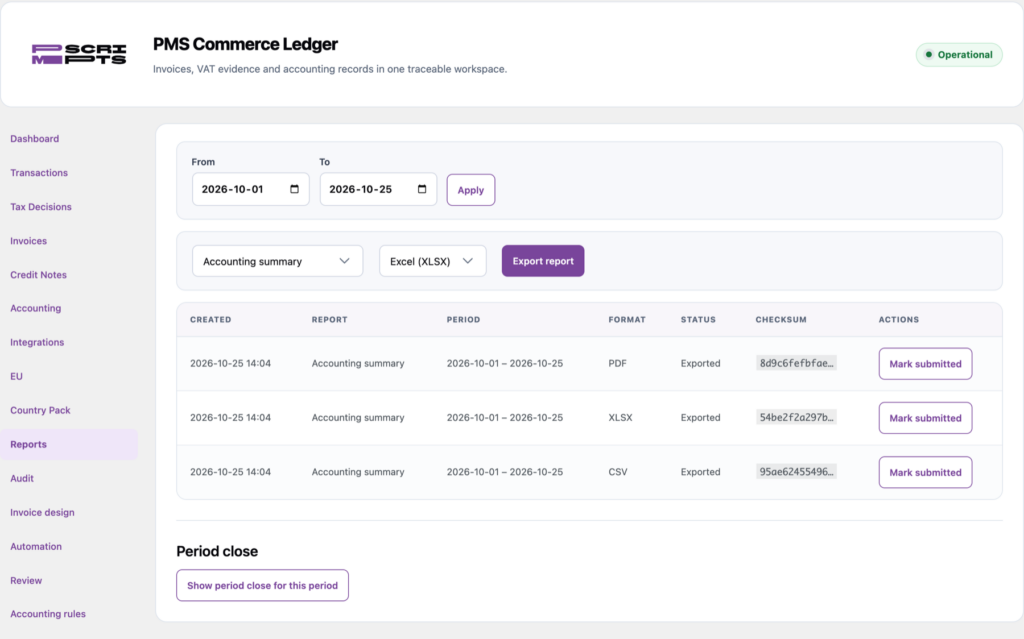
Reports in the format you need
Export any report as CSV, Excel or PDF. Every export is kept with its checksum, so you can show exactly what was sent.
By hand or with PMS Commerce Ledger
What changes in a normal month for a WooCommerce shop that takes payments through Stripe and keeps its books in Bokio.
| Task | By hand | With PMS Commerce Ledger |
|---|---|---|
| An invoice for every paid order | Create and number each one | Created automatically with your own numbering |
| Refunds | Write a credit note and correct the books | Credit note that reverses the same accounts |
| Customers abroad | Translate the invoice by hand | Invoice in Swedish or English, by customer country |
| VAT | Check the rate and country for each order | Decided at checkout, EU sales and reverse charge included |
| Stripe fees and payouts | Match statement lines by hand | Booked with every payout, fees and refunds included |
| Bokio | Type in journal entries and attach the PDFs | Sent as journal entries with the invoice PDF |
| Month end | Collect documents for the accountant | Period-close report and export as PDF, CSV or Excel |
READY IN ABOUT TEN MINUTES
Set up with a guide, or on your own.
The guided setup asks about your company and how you sell, explains every field, connects Bokio and Stripe with you and shows only the parts of the panel you need. Accountants can skip straight to every option instead.
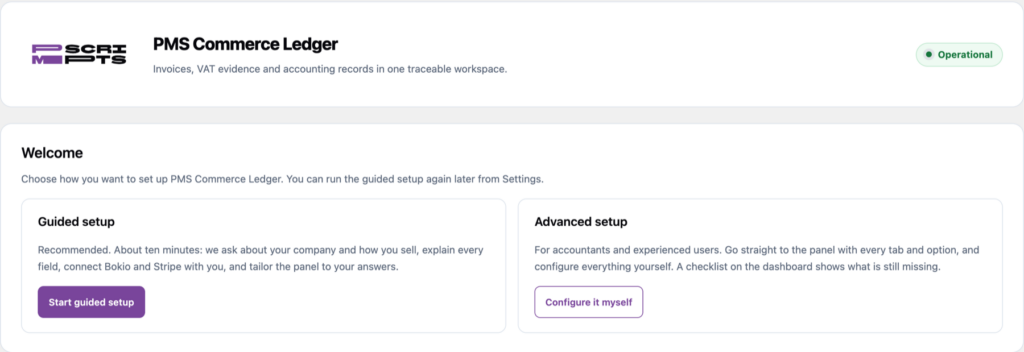
Guided or advanced
Choose at the start. You can run the guide again later from Settings.
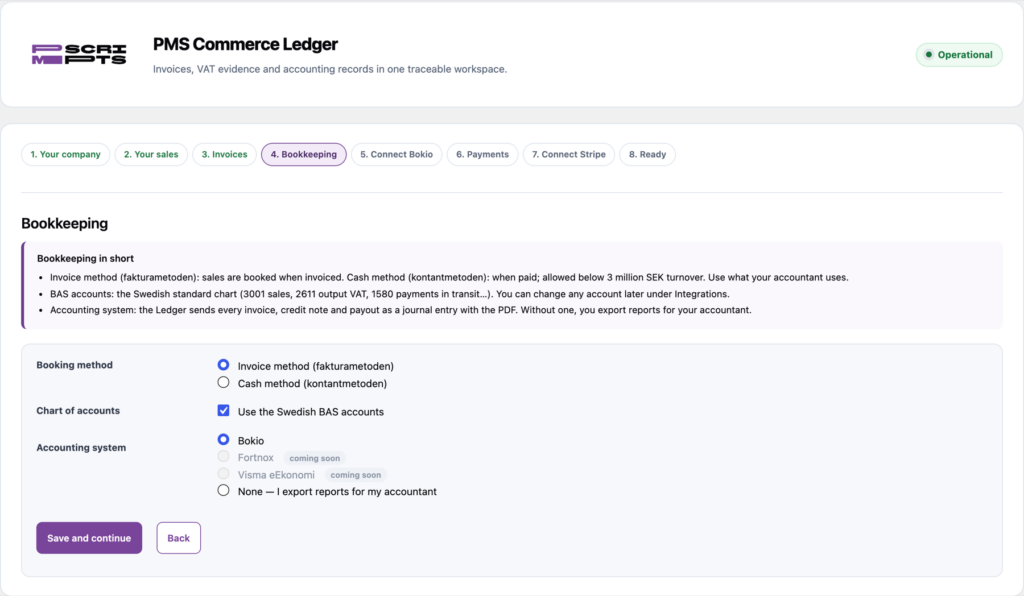
Every field explained
Where to find your VAT number, which booking method to pick, what the BAS accounts are — next to the fields you fill in.
ONE PLUGIN, ONE LICENCE
Simple to start, simple to keep.
Everything in one plugin
No free and paid editions to compare. Invoicing, VAT, reports and exports are all included.
Try it first
Start a 14-day free trial from the plugin, with the integrations included, and see your own orders booked.
Your records stay yours
If the licence ends, the Ledger stops booking new sales but keeps everything readable: view, download and export as PDF, CSV or Excel.
MAKE IT YOURS
Your look, your integrations.
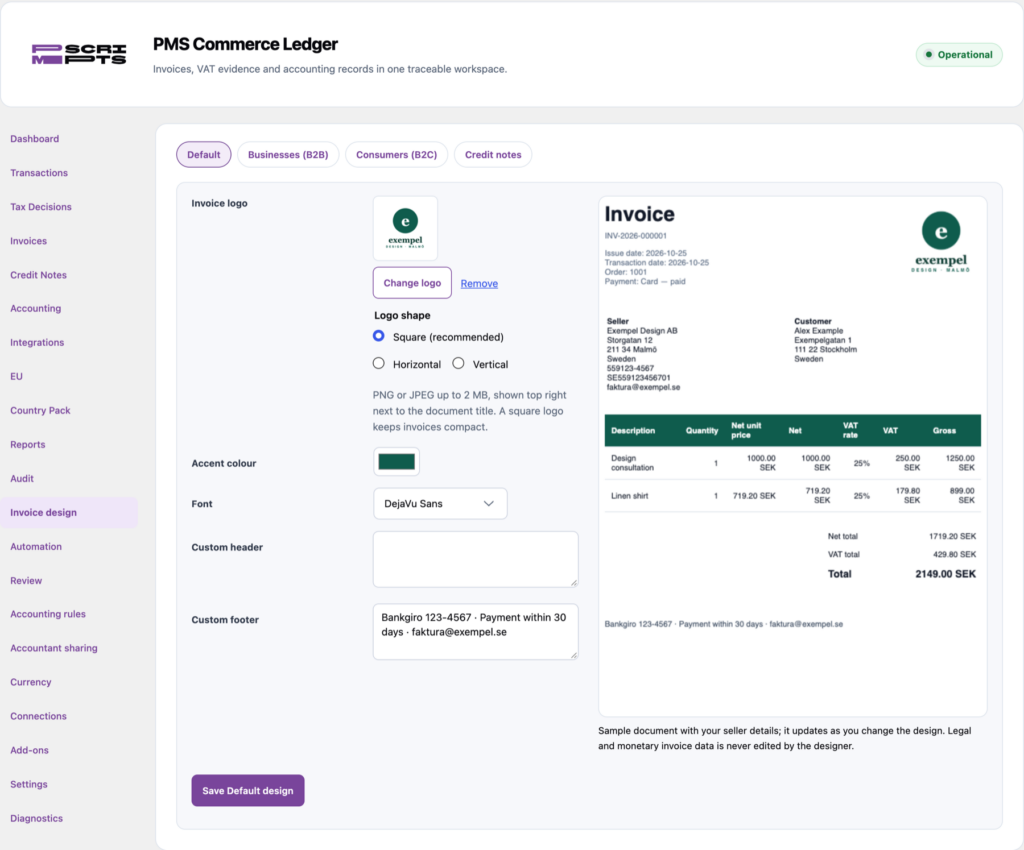
Your invoices, your look
Upload a square, horizontal or vertical logo, then set colour, font, header and footer per template — businesses, consumers and credit notes — with a live preview while you edit.
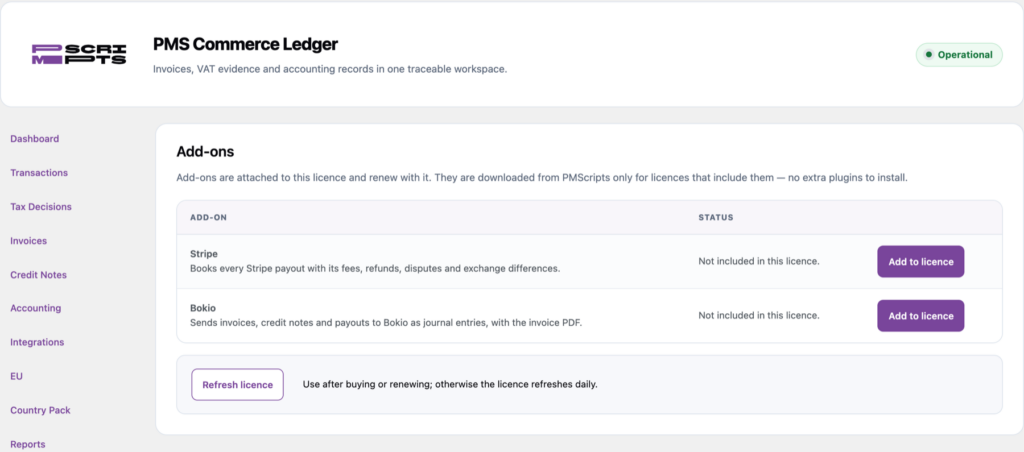
Integrations when you need them
Stripe and Bokio are add-ons on the same licence key. Add one from the plugin and it installs itself — no extra plugins to manage.
YOUR KEYS, YOUR DATA
Built to be trusted with your books.
Read-only payment access
Stripe is read with a restricted, read-only key. No public webhook is opened on your site.
Keys stay on your server
Keys are encrypted in WordPress and never shown again, nor sent to the browser, logs or exports.
Honest about limits
If an accounting system cannot do something through its API, the item is prepared for you to confirm instead of pretending it was synced.
Questions about PMS Commerce Ledger
When will it be available?
Soon. It is already used for invoicing on PMScripts.com. Contact us if you would like to hear when it launches.
Which systems does it work with?
WooCommerce, Stripe and Bokio at launch, starting with Swedish bookkeeping. More payment providers and accounting systems are planned.
Which languages does it support?
Swedish and English. The panel follows your WordPress language, and invoices go out in Swedish for customers in Sweden and in English for everyone else, or always in one language. A copy in the other language is one click away.
How long does setup take?
About ten minutes with the guided setup: company details, how you sell, invoices, bookkeeping and the Bokio and Stripe connections, each step explained. You can also configure everything yourself.
Can I try it before buying?
Yes. A 14-day free trial starts from the plugin itself, once per website, with the Stripe and Bokio integrations included.
What happens if my licence ends?
Nothing is deleted. New sales are no longer booked, and everything already created stays available to view, download and export as PDF, CSV or Excel.
Do I still need an accountant?
Yes. The Ledger prepares correct, traceable entries and reports; your accountant still reviews and signs off your books.
Want to hear when it launches?
PMS Commerce Ledger is coming soon. Tell us about your shop and we will let you know.